
Trips
Stays, fuel, groceries and tours, even in another currency.
Create a group, add who paid for what and Rufi shows who owes what, with the fewest transfers to settle up. People without the app join through a link.
Free! And you get 7 days of the Premium version, no card required.

Stays, fuel, groceries and tours, even in another currency.
Rent, power, internet and groceries every month, with automatic repeats.
The bar tab split by item: everyone pays for what they had.
Split evenly or by percentage and see the balance without chasing anyone.
Who bought the meat, who brought the drinks: it all adds up at the end.
In the app or through a personal link, nobody has to install anything.
Typing, speaking (“split 120 for dinner with Beto”) or from a photo of the bill.
Rufi shows who pays whom. Mark it as paid, the other person confirms and the group closes.
| Topic | Today | With Rufi |
|---|---|---|
| Who owes what | A spreadsheet and chasing people in the group chat | Everyone’s balance, always up to date |
| People without the app | They have to install it to join | A personal link: they see the balance and say they paid, without installing |
| Settling up | Lots of criss-crossing transfers | Simplified debts: fewer transfers |
| Trips abroad | Converting each expense by hand | Other currencies converted, on the free plan |
| Adding expenses | Typing each one | By voice: “split 120 for dinner with Ben” |
| Free plan | Expense limits or ads | No daily expense limit and no ads |
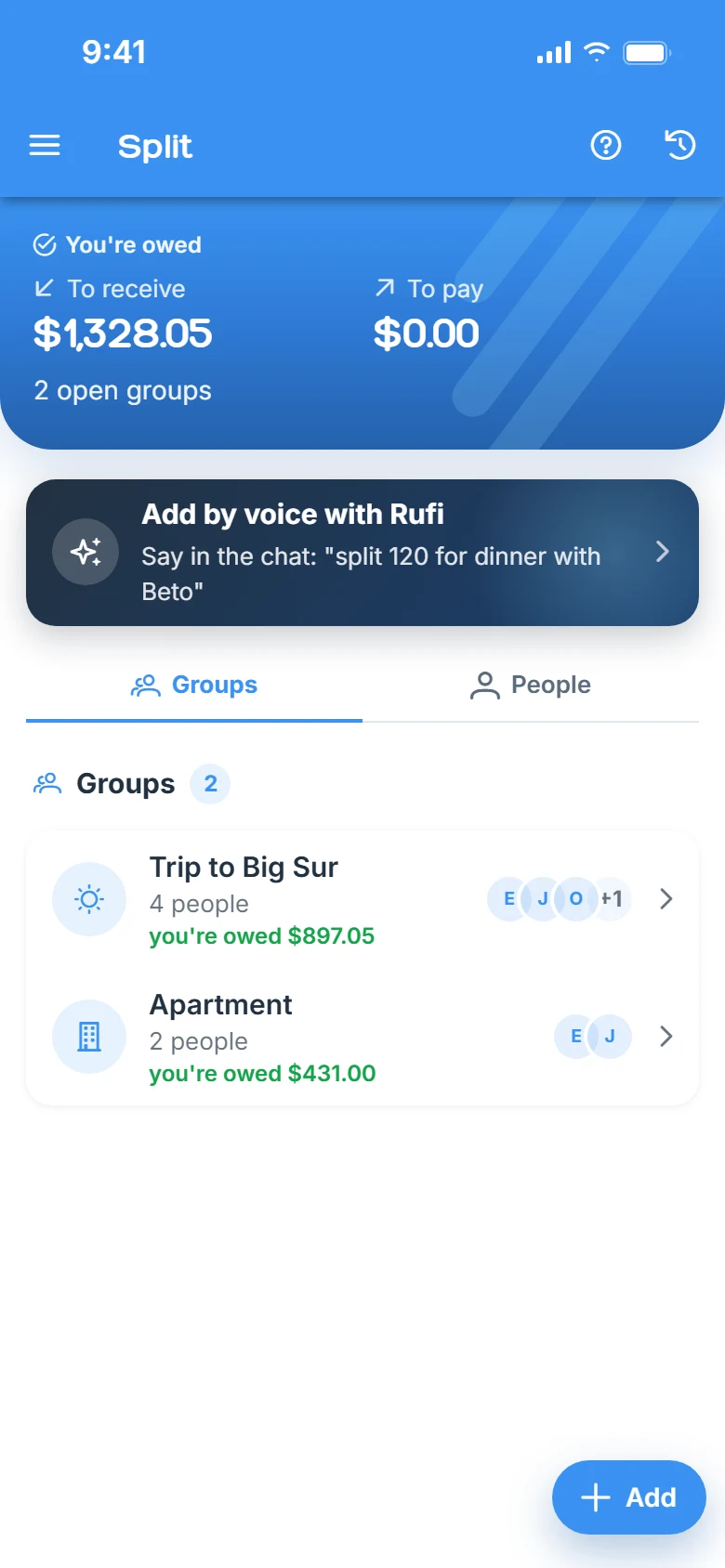
Real app screens, with sample data.
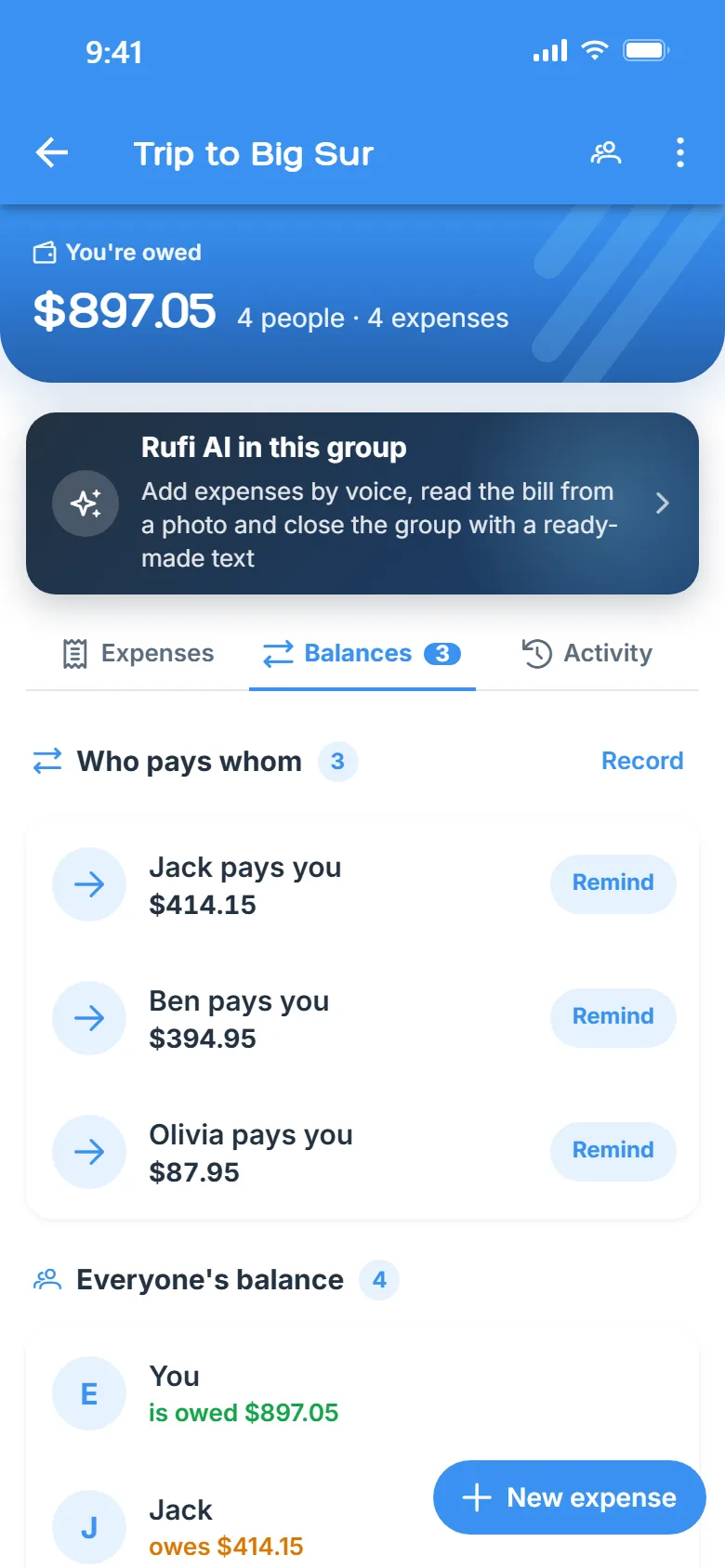
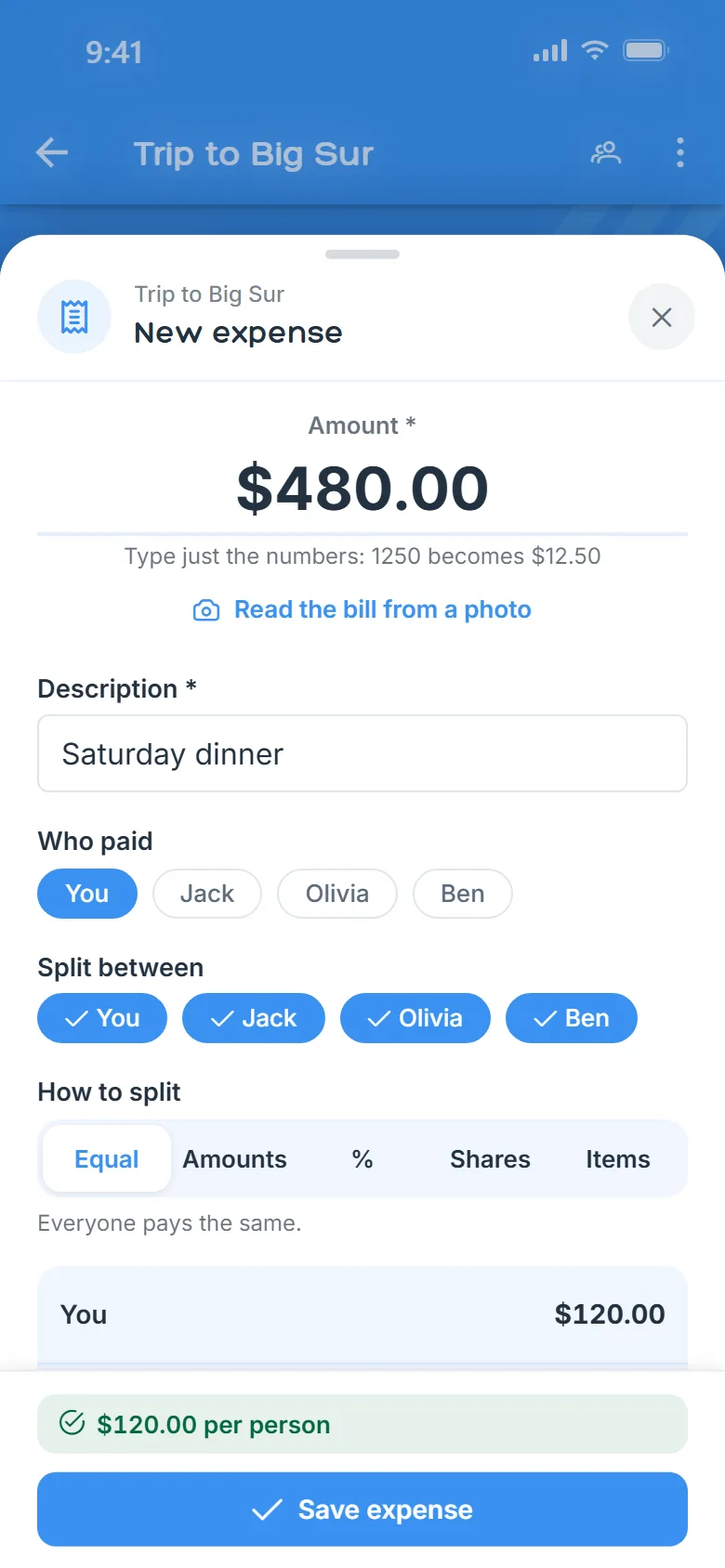
Rufi never moves money: you settle up by bank transfer, cash or any payment app, and the settle-up is recorded so the balance adds up.
Yes. The free plan has no daily expense limit and already includes up to 3 open groups, splitting equally, by amount, by percentage or by shares, other currencies, a link for people without the app and adding expenses by voice. Premium unlocks unlimited groups, split by item, recurring expenses, the photo of the bill, exporting the group and the wrap-up text.
Yes. Add the person by name and send their personal link: they see the balance and expenses and say when they have paid, without installing anything.
No. Rufi only calculates and keeps track. You pay however you like and record the settle-up, which the other person confirms.
Yes, with Premium: choose split by item and mark who had each thing, or let AI read a photo of the bill and split out the items for you.
Yes. Add expenses in the local currency and Rufi converts them to the group’s currency.
Yes. In Rufi you turn on only the modules you want: pantry, lists and Finance stay out of the way until you need them.
Download Rufi for free and create your first group now.